
Step 1: Begin by adding the authorization to charge as an individual consent. It's a straightforward process as shown in the following screenshot.
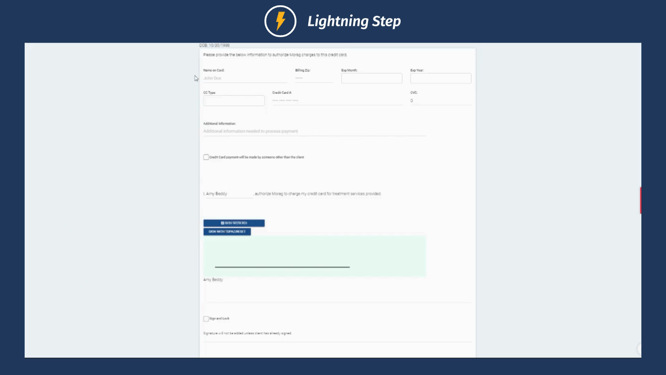
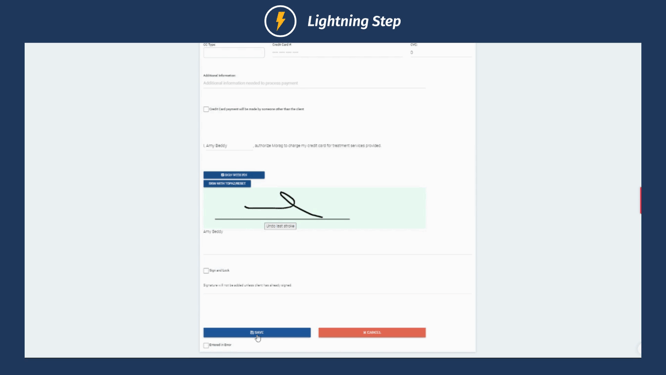
Step 2: Fill in the required information in the consent form. After filling in the details, sign, lock, and save the form.
Step 3: Once you've saved the form, the information will appear in the financial information section.
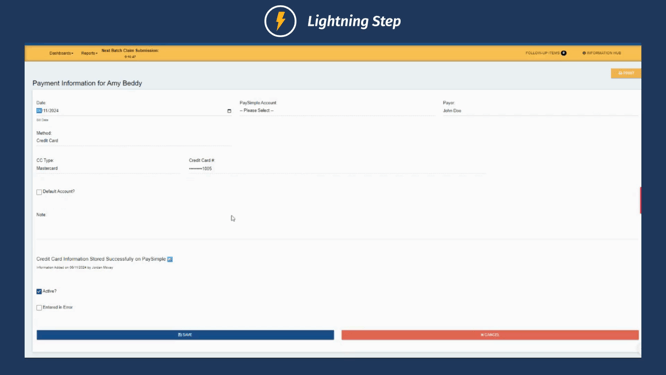
Step 4: The saved information will be stored with Paysimple active. You're able to toggle this to the default account. This ensures it becomes the primary account for charging.
If you don't see this consent in your admission consents or in your consent to add section, don't hesitate to contact your customer success manager. They're ready to assist you in capturing more. Enjoy your day!
