What Is a Bad Debt Write-Off?
Bad debt represents revenue you expected but won’t collect—often after all reasonable collection efforts have failed. Writing off bad debt means removing these uncollectible amounts from your accounts receivable to accurately reflect your true position. Timely write-offs keep your books compliant and financial reports trustworthy.
Identifying and Reviewing Outstanding Accounts
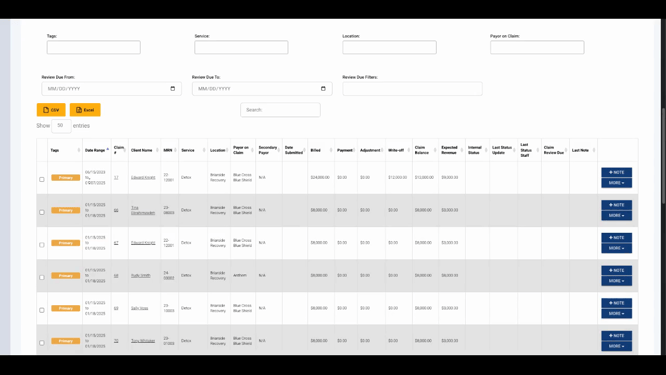
The Outstanding AR Dashboard in Lightning is your central hub for reviewing overdue receivables. This dashboard displays internal status, notations, and filters so you can focus on particularly old balances, such as those over 120 days past due. Use sorting and filters to spot trends and address high-risk accounts promptly.

Review both individual and bulk outstanding AR records from this dashboard. Being able to select multiple items—even across accounts—supports efficient handling of large volumes of bad debt.
Documenting Write-Offs Effectively
Lightning’s Bulk Actions feature lets you update internal status and add notes for accounts slated for write-off. Recording clear reasons for each write-off, including details or context on why an account became uncollectible, ensures thorough documentation. This helps with audits, reporting, and internal communication.
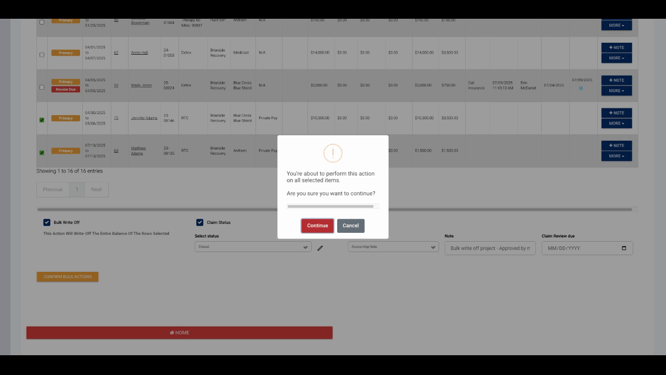
When confirming write-offs, review summary messages and notes to ensure everything is accurate before finalizing changes.
Bulk and individual handling is supported: you can process full-account write-offs with detailed notes to explain the action taken.

Allocating the write-off to specific charges keeps both the account balance and your write-off totals precise. Every adjustment is traceable, supporting best practices in financial record-keeping.
Tracking and Reporting on Bad Debt
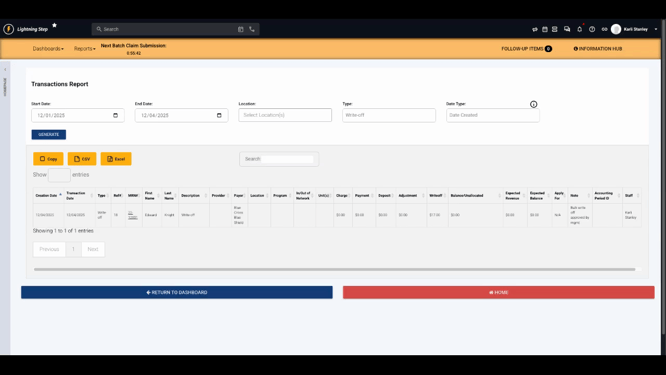
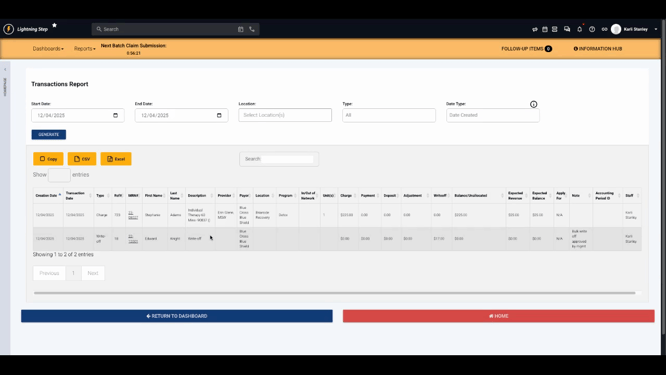
Lightning offers robust reporting. Through the Transactions Report, you can filter to show only write-off-related activity. Setting the transaction type to "Write Off" generates a focused view with supporting notes for each record. Regularly reviewing these reports helps you watch for recurring patterns or areas needing process improvement.
Best Practices and Practical Tips
-
Establish Criteria: Clearly define thresholds for when a balance is written off—such as aging past a set number of days or exhausting all collection options.
-
Maintain Full Documentation: Use notes fields consistently to explain every write-off, supporting transparency and audit readiness.
-
Use Permissions and Approvals: Restrict write-off abilities to authorized staff and consider an approval process for large or sensitive amounts.
-
Monitor Trends: Schedule regular reviews using dashboards and summary reports to stay proactive about collections and policy updates.
Lightning Step’s integrated tools and dashboards empower you to manage bad debt methodically and maintain clean, reliable accounts receivable records. For more information or assistance, check your internal documentation or reach out to your support team.