
Step 1: From the homepage, scroll down to Rounds and Shift Reports.
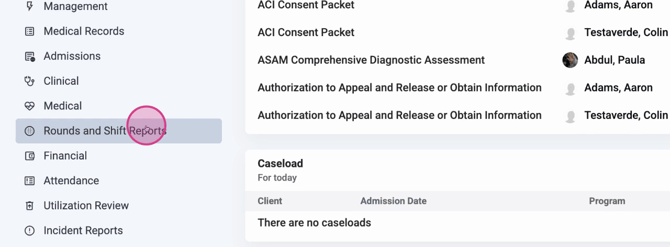
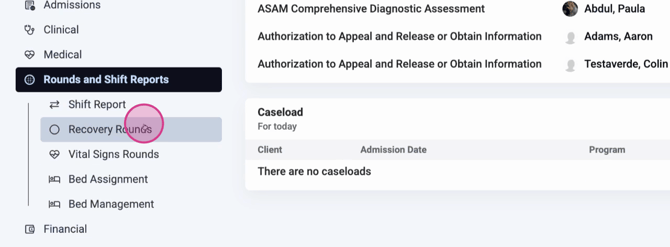
Step 2: Select Round Recovery Rounds.
Step 3: Open the Select Round dropdown. Choose the date, location, and program.
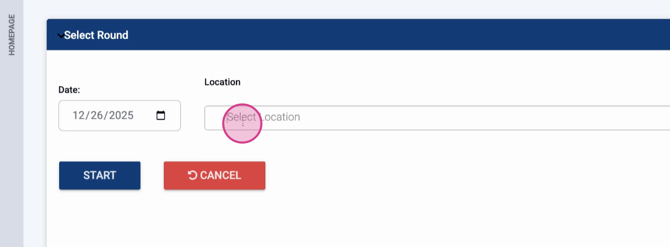
Step 4: Click Start to begin the round.
Step 5: Review the round details. You’ll see the scheduled time, along with each client’s photo, name (as a hyperlink to their chart), and room/bed if assigned.
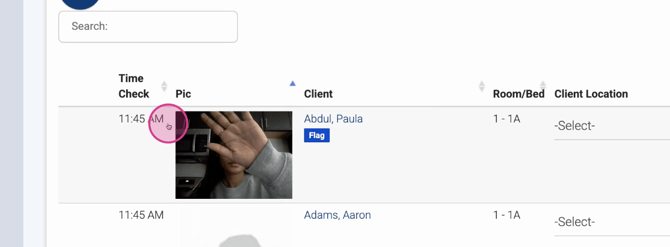
Step 6: Use the Location dropdown to update a client’s current location. You can add or remove options as needed. For example, select “Kitchen” if the client is there.
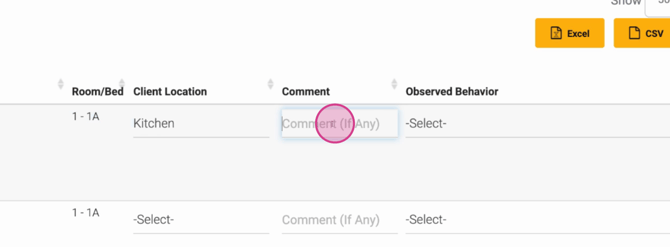
Step 7: Enter any comments about the client, such as observations or concerns. For example: “Paula was distracted and uninterested.”
Step 8: Record the Observed Behavior using the dropdown menu.
Step 9: Click the check mark to complete this client’s round entry.
Step 10: If you take vital signs during rounds, use the Add Vitals option to enter them immediately.
Step 11: Repeat these steps for each client in the round: select their location, enter comments, document observed behavior, then mark completion.
Recovery rounds streamline shift handoffs and support client care. By using these tools, you ensure clear communication and thorough documentation for every client, every time.
