
Follow these steps to update claim responsibility and manage adjustments with confidence.
Step 1: Open the claim in the Edit Claim screen.
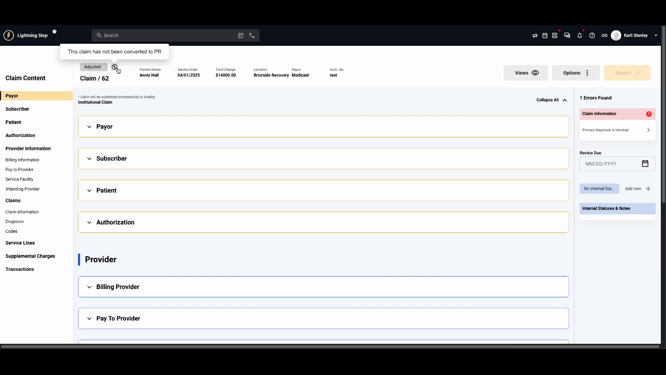
Step 2: Confirm the claim hasn’t already been converted to patient responsibility. Look for the green double arrow icon and hover to see “This claim has not been converted to PR.”
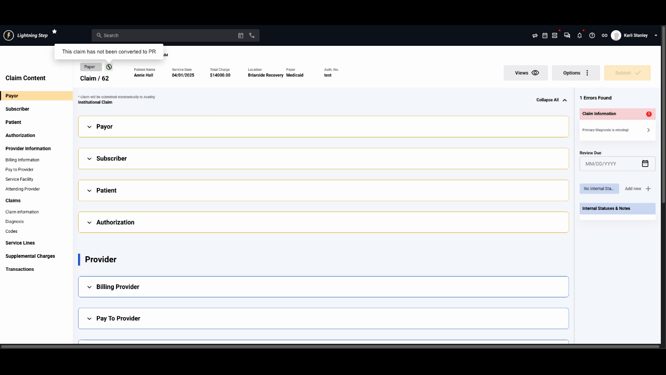
Step 3: Click Options, then select Convert to PR to begin the conversion.
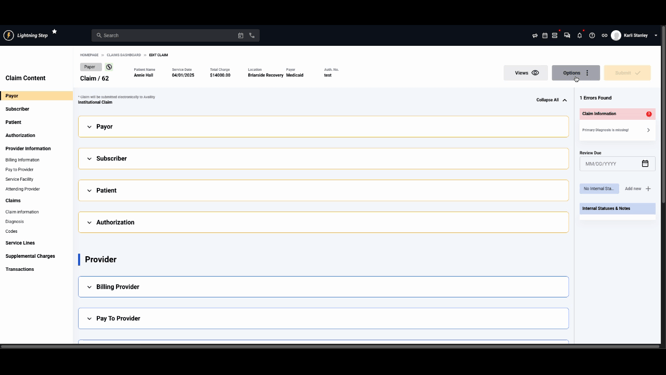
Step 4: In the confirmation dialog, review the details stating that a private pay charge will be generated for the full claim amount. Click Convert to PR.

Step 5: Look for the confirmation message. The claim’s icon now turns orange, and the hover message updates to show the claim has been converted to patient responsibility.

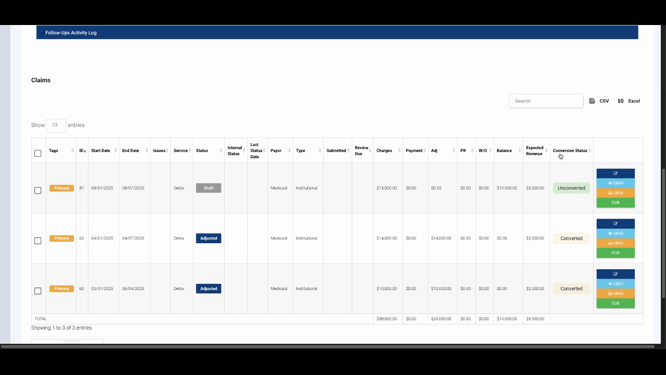
Step 6: Check the client’s account profile under the Claims section to view the updated conversion status. Converted claims show an adjusted status and display the conversion tag.
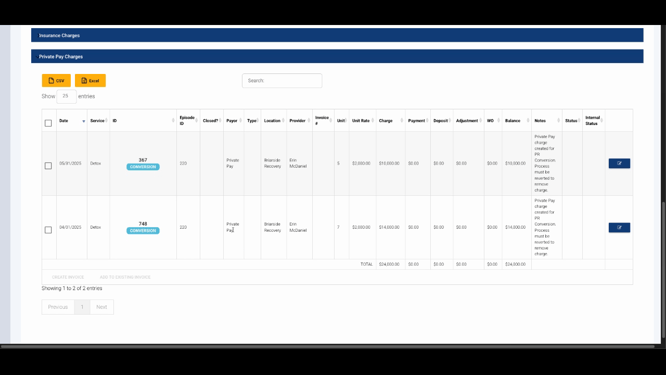
Step 7: Switch to the Charges section. See the conversion tag on the Charge IDs, confirming which transactions were affected.
Step 8: If the client resolves their COB issue, return to Options on the claim and select Revert from PR.
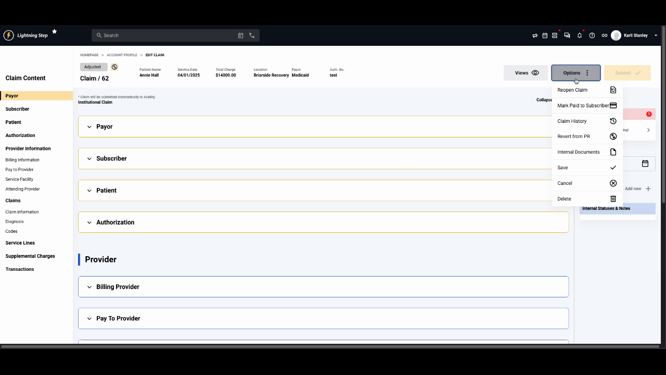
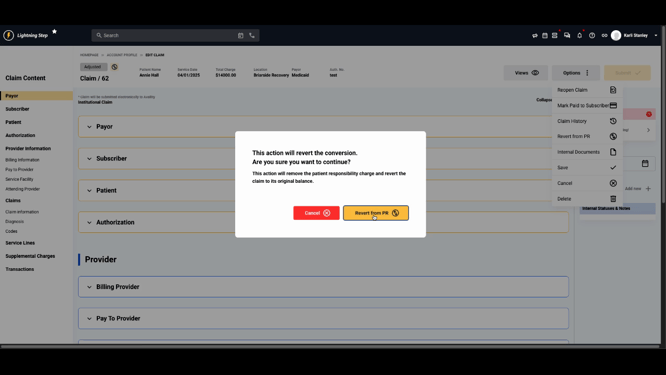
Step 9: Confirm the action to remove the patient responsibility charge and restore the claim’s original balance.
Step 10: Ensure the status and adjustment transactions have been updated and removed from the account profile. The client’s responsibility now accurately reflects only the proper charges.
Converting claims to patient responsibility helps encourage client action and provides a clear workflow for managing stalled insurance issues. If you run into questions, check your internal documentation or reach out to the support team for more help.
