
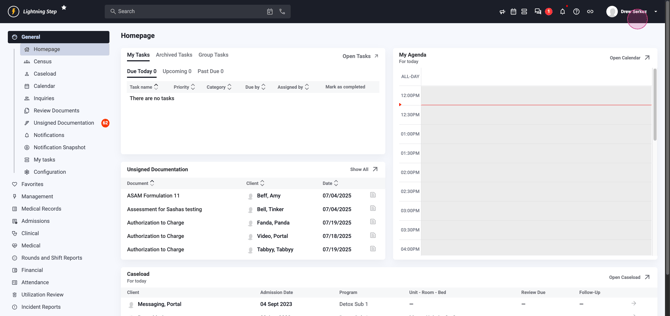
Step 1: Open the Medication Protocols menu. Click your name at the top right of the screen to reveal the menu.
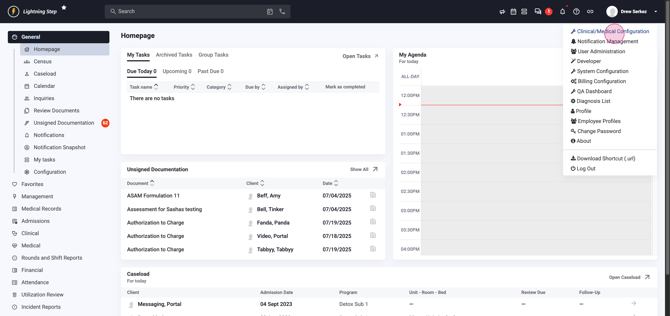
Step 2: Select Clinical Medical Configuration from the dropdown. This hub houses all protocol management tools.
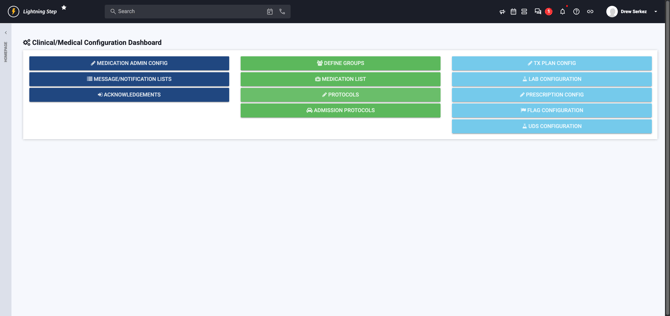
Step 3: On the dashboard, locate and click the green Protocol button. This section stores and manages all protocols.
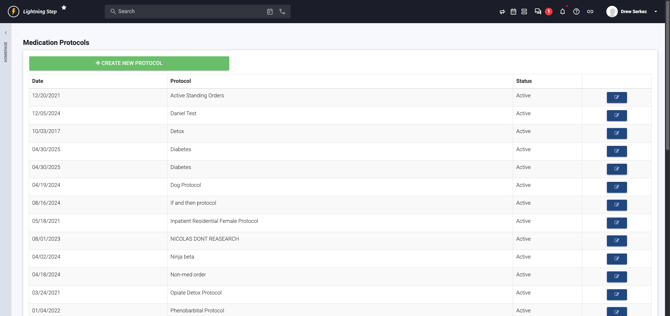
Step 4: Review existing protocols, then click Create new Protocol in the upper left. This starts a new protocol from scratch.
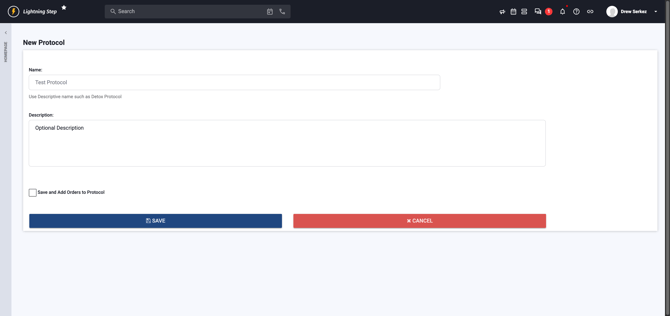
Step 5: Name your protocol clearly. Consider descriptive titles, like “Detox Taper – Ativan” for clarity in future use. Optionally, fill in a brief description to guide colleagues.
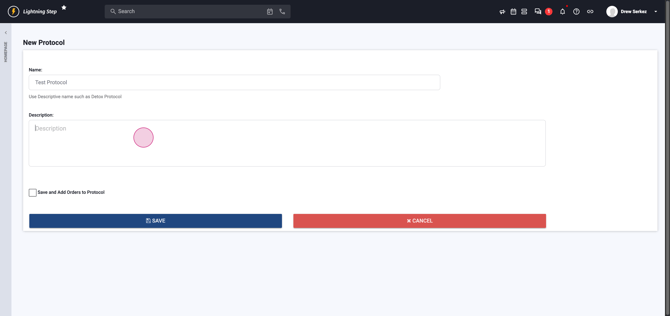
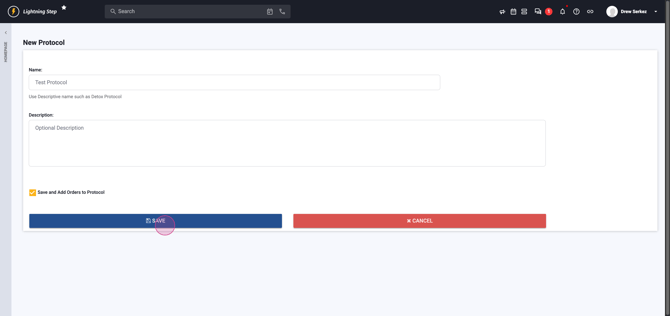
Step 6: To continue building your protocol, press Save and Add Orders to Protocol. This takes you right into adding specific medication orders.
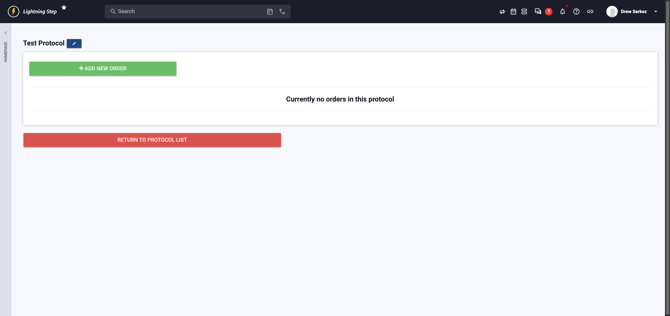
Step 7: Add a medication by clicking the green Add new Order button. Each order represents one medication or instruction within this protocol.
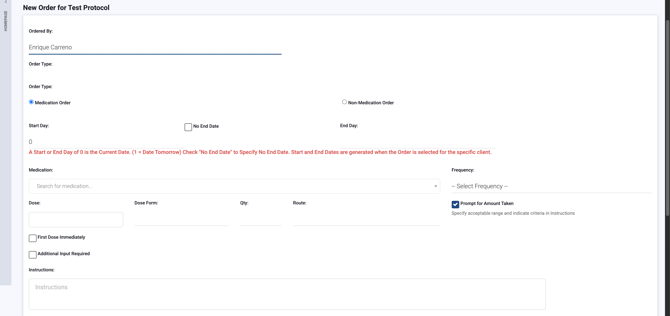
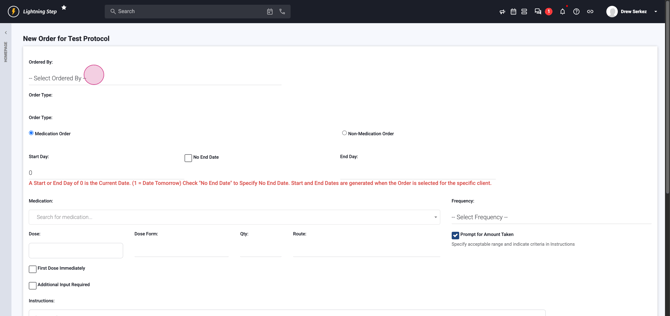
Step 8: Assign the supervising Doctor for this order; this ensures it’s linked to the proper prescriber.
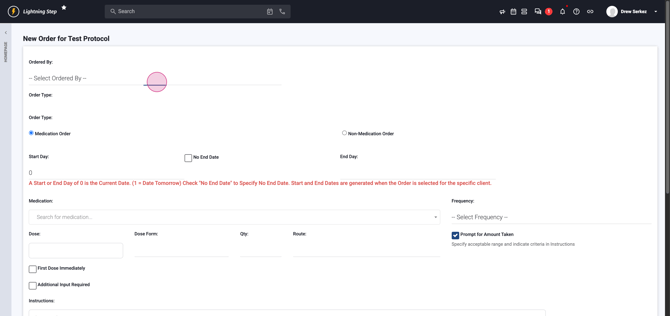
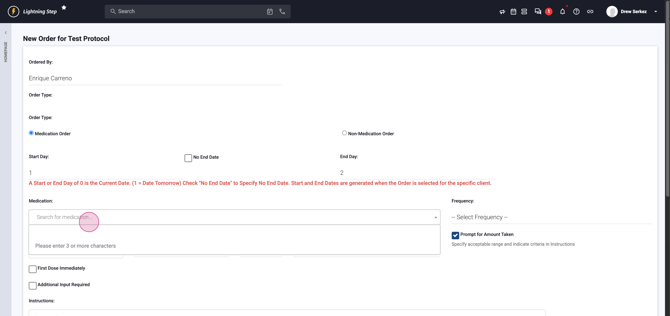
Step 9: Choose the Order Type—medication or non-medication. For protocols, you’ll typically choose Medication.
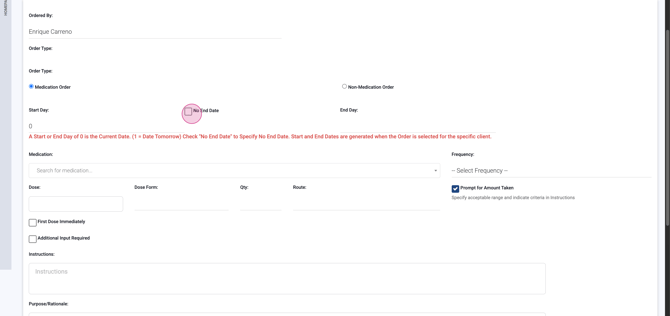
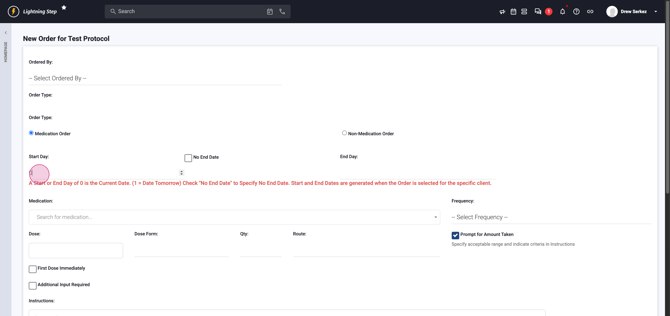
Step 10: Set the Start Date for the medication. Use zero for today, one for tomorrow, and so on. For ongoing regimens, choose ‘no end date’.
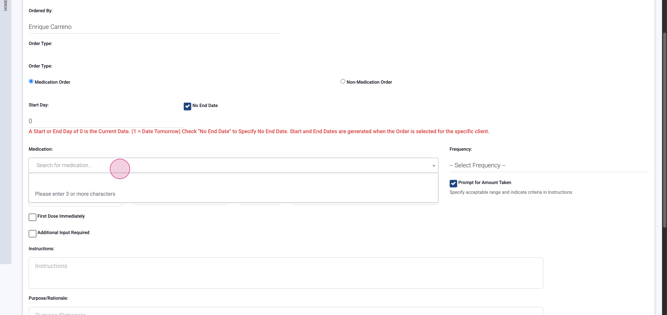
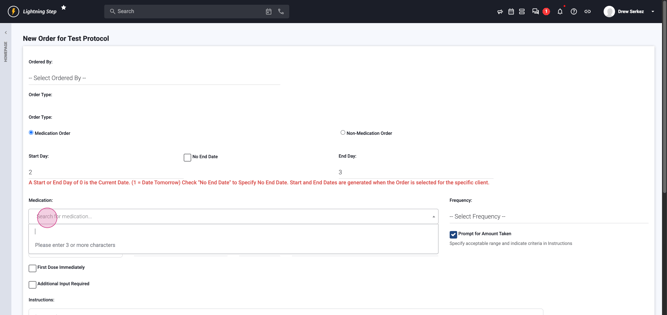
Step 11: Enter or search for the required medication. Start typing for matching results from the medication compendium.
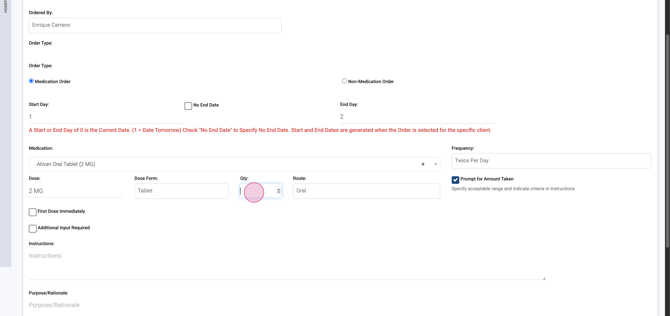
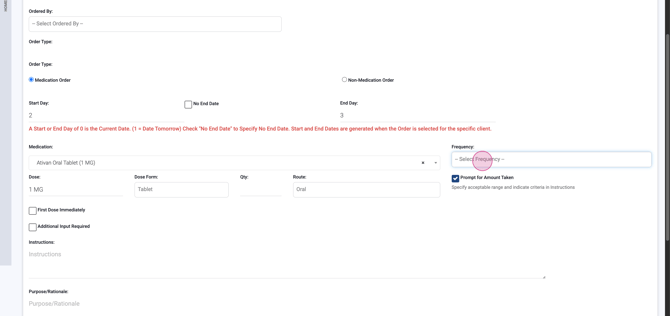
Step 12: After selecting the medication, pick the appropriate Frequency (e.g., Once Daily, TID for three times daily). The interface suggests dosage form and route.
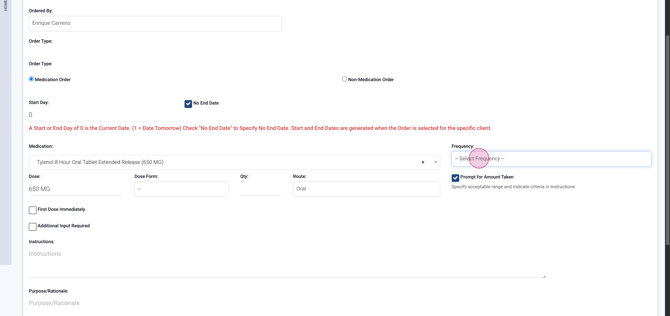
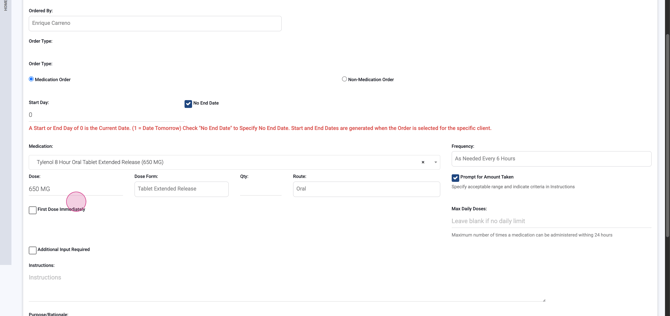
Step 13: Enter the Quantity per Administration as directed. Double-check accuracy—under- or over-dosing can impact efficacy and safety.
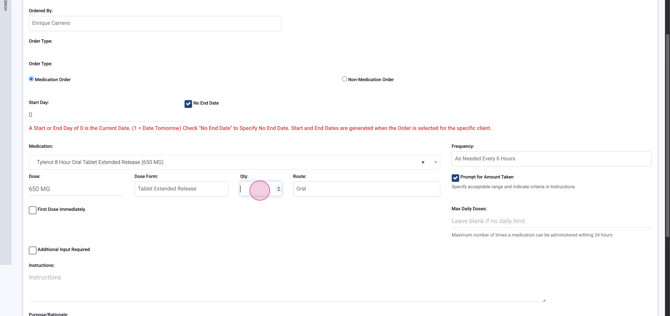
Step 14: Choose if the first dose should be given immediately or if extra input will be needed before administration. Use the Instructions, Purpose, and Rationale sections for essential clinical notes that clarify intent for nursing staff.
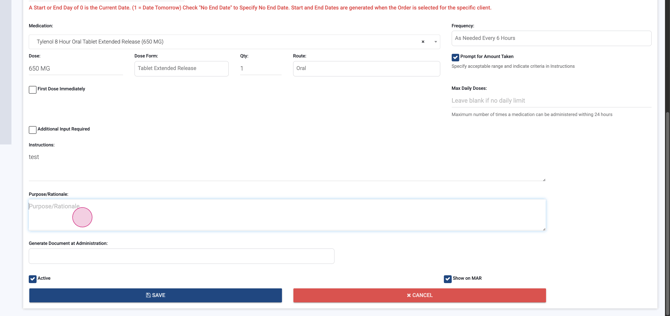
Step 15: Optionally, enable document generation—like vital signs or blood glucose forms—by selecting appropriate checkboxes. This ensures all monitoring requirements are captured.
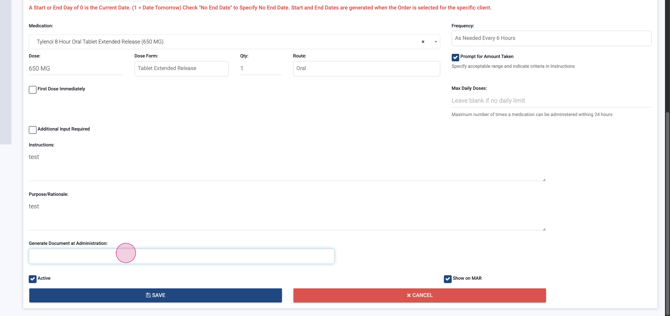
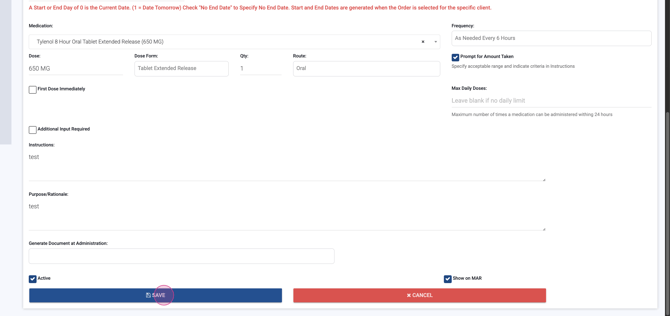
Step 16: Hit Save to lock in this medication to your protocol.
Configuring a Medication Taper
Tapers manage how a medication dose decreases over time. Each order you add will define dosing on specific taper days, ensuring a controlled, safe reduction.
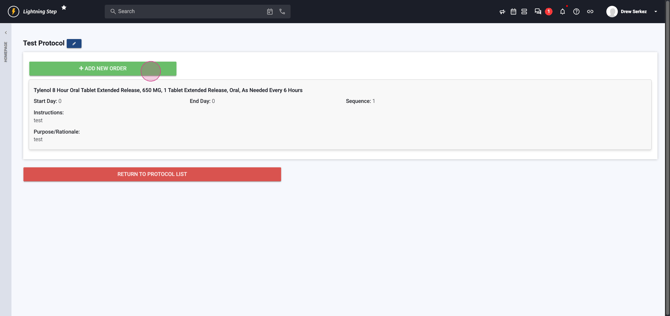
Step 1: Click Add new Order to begin a new taper entry.
Step 2: Again, assign the correct Doctor.
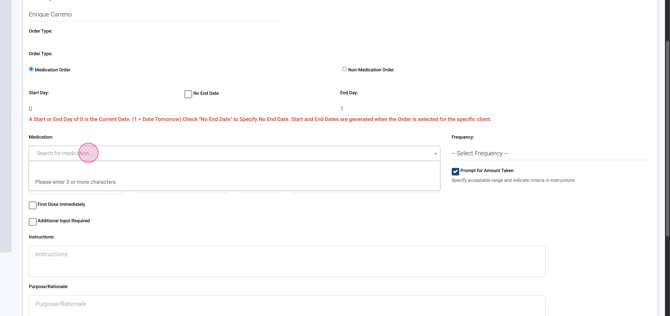
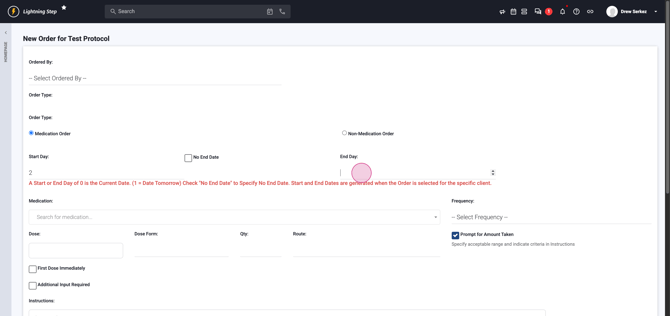
Step 3: For a three-day taper, start with day zero (today). Set the Start Date as zero, End Date as two.
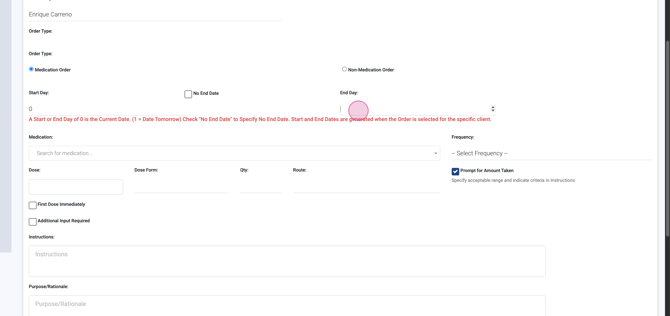
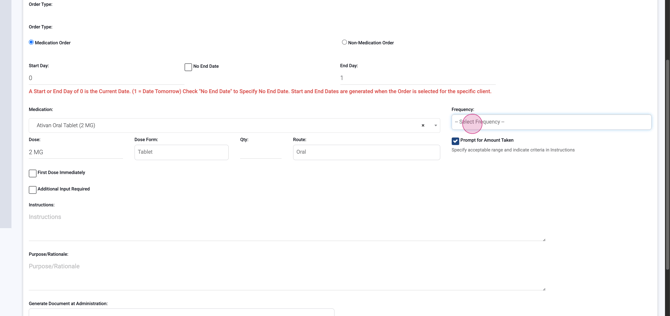
Step 4: Select the medication (e.g., Ativan oral tablets, 2 mg) and frequency (e.g., TID), then enter the daily quantity.
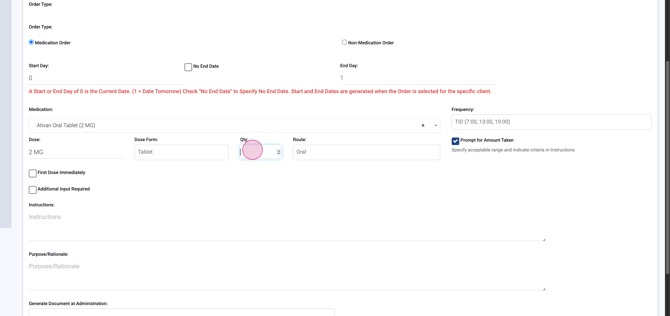
Step 5: Press Save to add the first taper day.
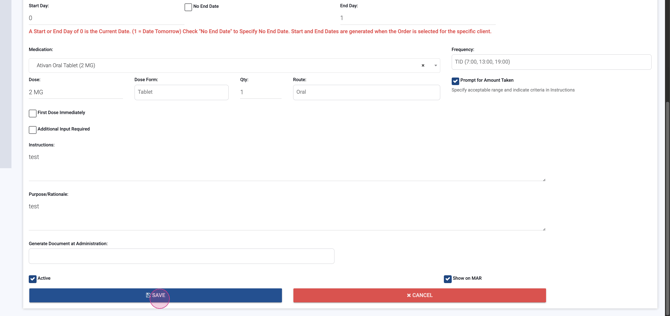
Step 6: For day two, add a new order. Set Start Date to one and End Date to three, mirroring or adjusting medication details as required. Adjust the quantity or frequency if the taper calls for a dosage decrease.
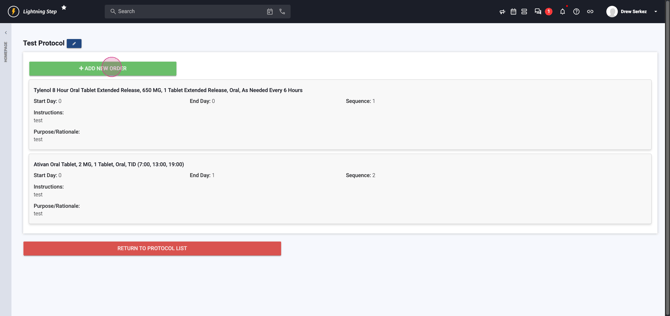
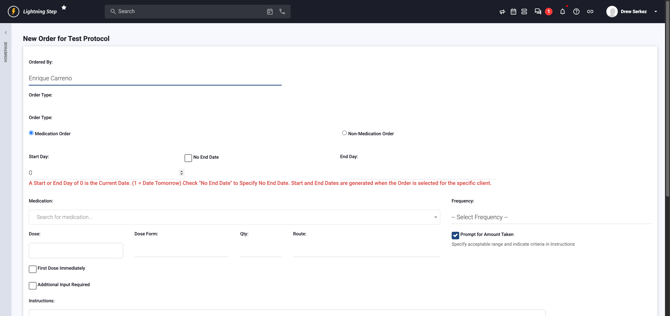
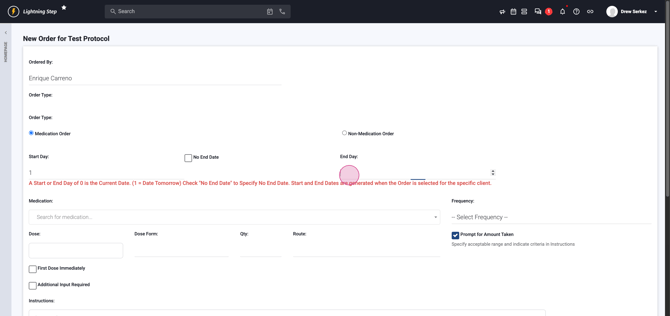

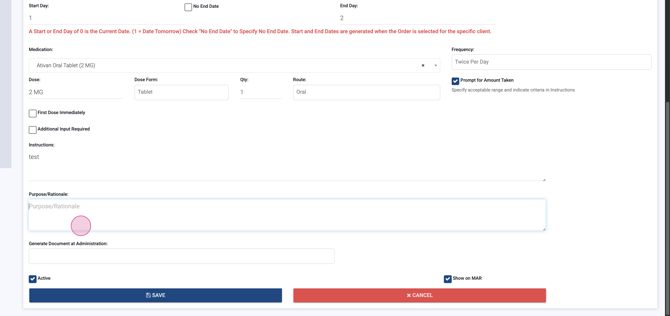

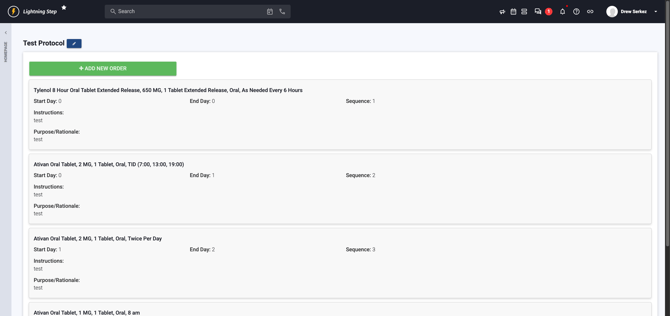
Step 7: Repeat this process for each taper day—start new orders, increment start and end dates, and adjust dosage. For the third day, select Start Date three, adjust dosing, and save.
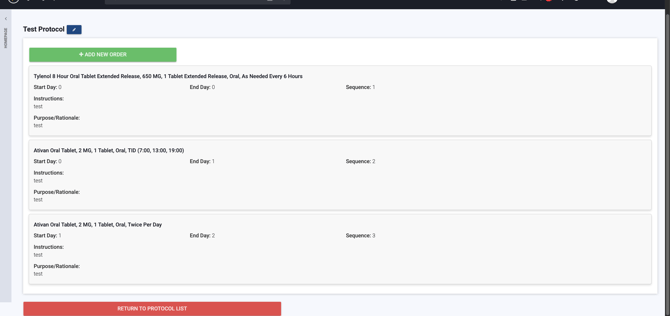
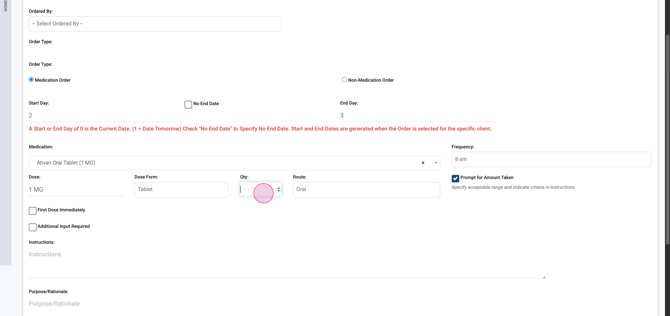
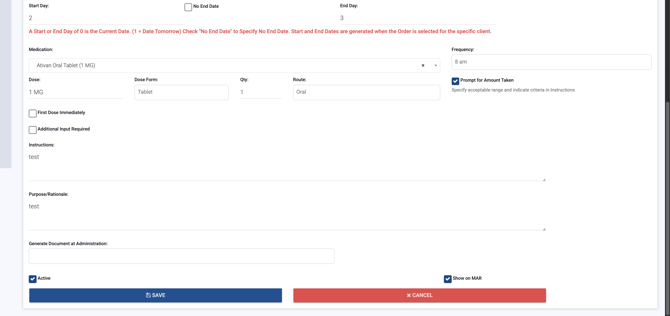
When finished, your protocol will have sequential orders for each day of the taper, providing a safe and explicit schedule for medication reduction.
Using Your Custom Protocol
Step 1: To see your protocol in action, find the lightning step icon at the top left to return home.
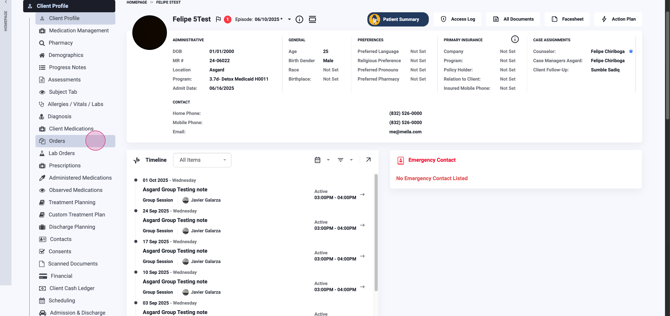
Step 2: Open a client profile and navigate to Orders.
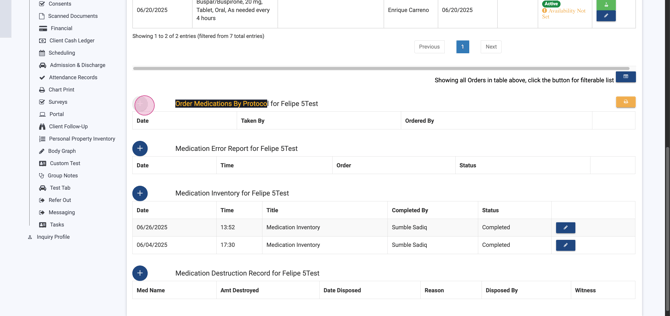
Step 3: At the bottom, choose Order medications by protocol. Add a new protocol order by clicking the plus icon, selecting your physician and location.
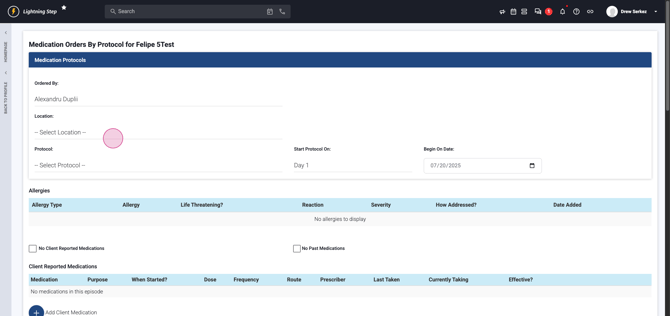
Step 4: Pick your created protocol. The system will display all medications in your protocol, prepped for ordering in one click.
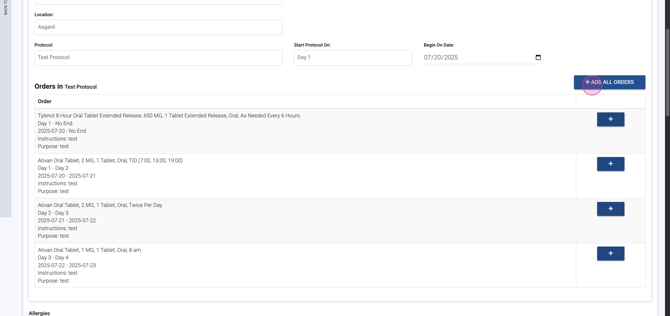
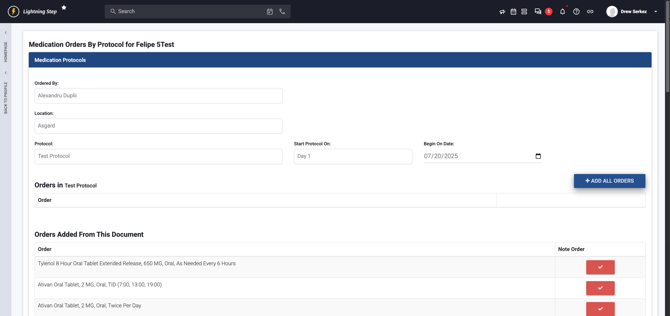
Step 5: Place the order for your patient, instantly enacting your protocol’s full regimen—protocol plus taper.
Medication protocols and tapers make medication management safer, faster, and more consistent. Keep protocol names and instructions clear, use tapers to minimize withdrawal risks, and double-check orders before saving. Your custom configurations now ensure patients receive the right medications, at the right dose, on the right schedule—every time.
