
Step 1: Open the claim you want to correct. You should see a message indicating that the claim was successfully created.
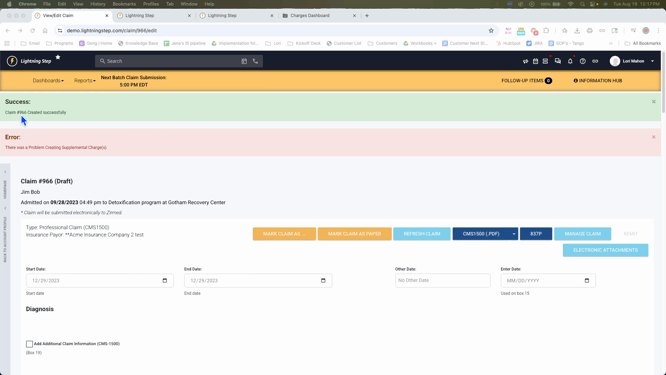
Step 2: Refresh the claim. This action will reopen the latest claim, allowing you to make necessary changes.
Step 3: Navigate to the Manage Claim section.
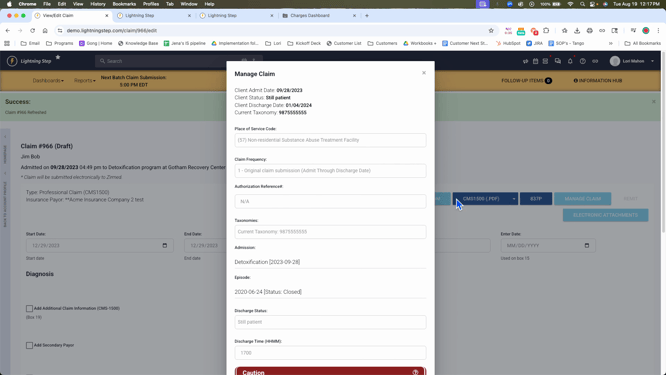
Here, you have the option to replace a prior claim or void/cancel it. If you choose to replace it, you'll need to provide the authorization number, the insurance ICN number, and the claim number from the actual EOB.
Step 4: After entering the required information, click on the Confirm button and resubmit the claim.
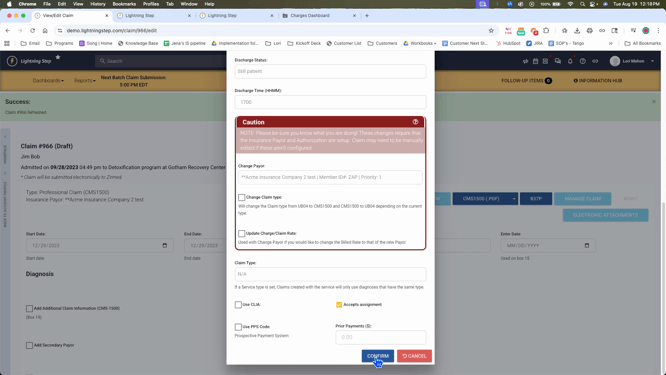
By following these steps, you'll be able to successfully correct and resubmit a claim.
