
Joining as Staff
Step 1: Go to the calendar and locate your scheduled telehealth session.
Step 2: Click the appointment window to open session options.
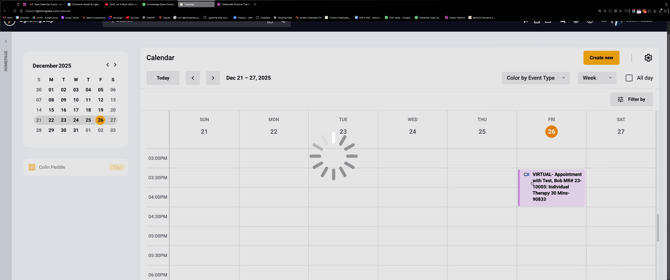
Step 3: Select the option to Start Session as staff.
Step 4: Enter your name or choose to stay anonymous, then click Save and join the call.
Joining as a Client
Clients have several ways to access their Telehealth appointment. Here’s how it works:
Step 1: Open your email and find the new calendar appointment from your provider.
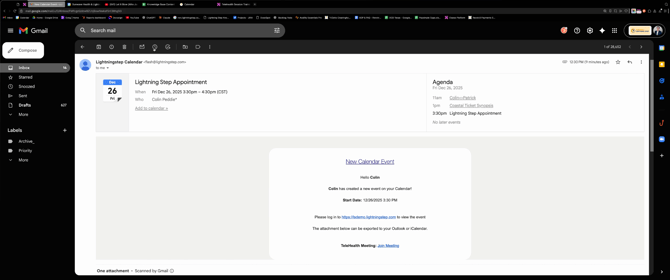
Step 2: Click the Join Link in the message to head directly to the telehealth meeting.
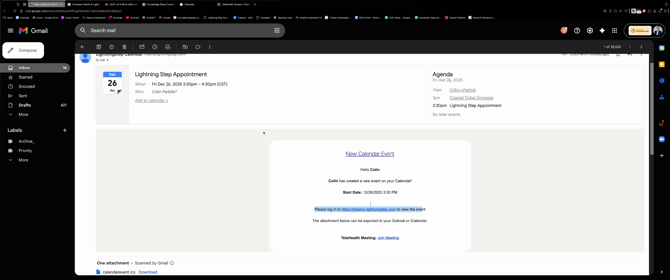
You’ll enter the virtual waiting room if one is set up, and the provider will admit you.
Clients can also receive a reminder with the meeting link by email or text message, making it easy to join from anywhere.
Joining from the Patient Portal
Step 1: Log in to your patient portal account.
Step 2: Navigate to the Agenda or Appointments tab
Step 3: For Telehealth sessions, click the Telehealth Link button next to your upcoming appointment.
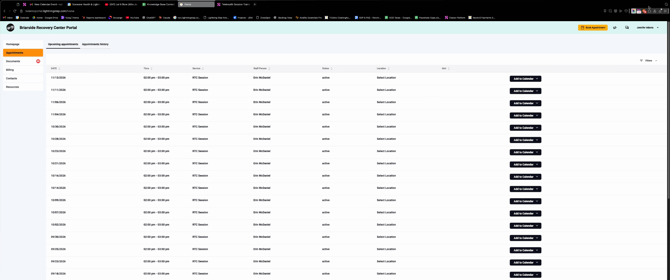
You’re now connected and ready for your appointment.
Joining a Telehealth session is easy for both staff and clients. Whether you use a calendar link, email invitation, text message, or your patient portal, you’ll always have quick access to your virtual appointment.
