
Step 1: Go to the upper right-hand corner and select the Name menu.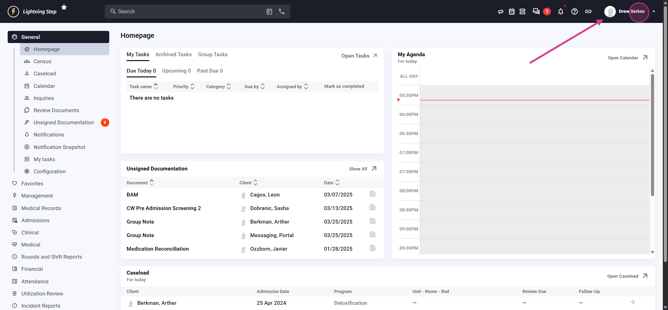 Step 2: From the menu options, click User Administration.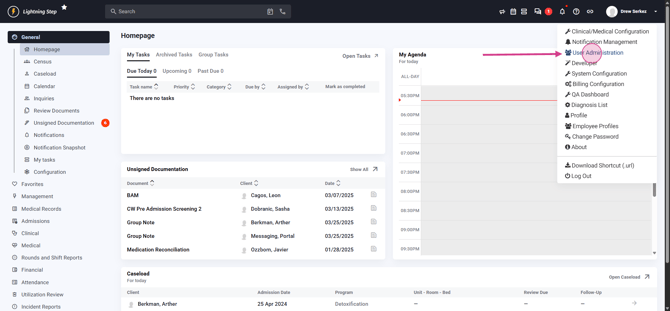
Step 3: Locate the user you want to designate as a Qualified Credential Counselor. Access their profile.
Step 4: Within the user's profile, navigate to the Edit User section. and locate the checkbox labeled Qualified Credential Counselor
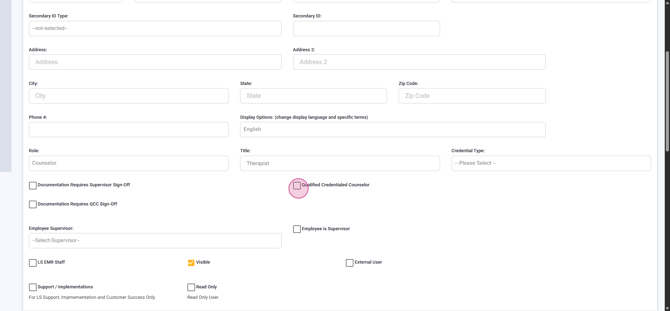
Step 5: After selecting the box, scroll down and click Update to save your changes.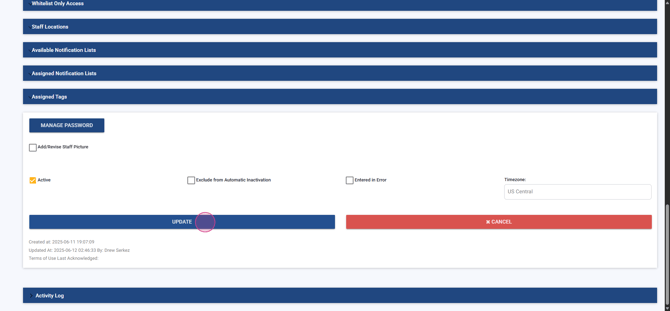
Once complete, the user is now a Qualified Credential Counselor.
Check out our article on how to assign a user for documentation review by a Qualified Credential Counselor. It includes details on setting up the new QCC for specific users to review and sign their documents.
