
When a claim receives a patient responsibility (PR) adjustment with certain codes (like 1, 2, 3, 27, or 100), Lightning Step automatically creates a charge for the client. This ensures you can invoice for balances that insurance doesn’t fully cover or adjust. Some organizations may want to include other adjustment codes as triggers—this feature lets you customize which codes generate these charges.
Setting Up Access Permissions
Step 1: Go to Configuration in your Lightning Step menu.
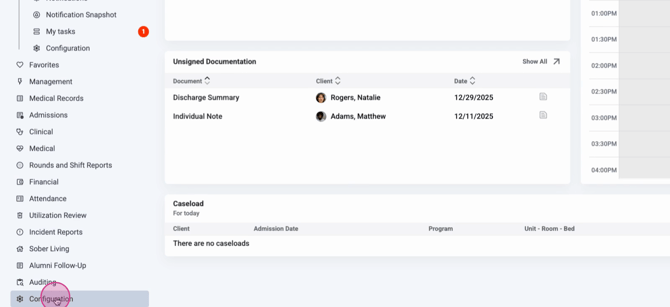
Step 2: Click System Configuration.
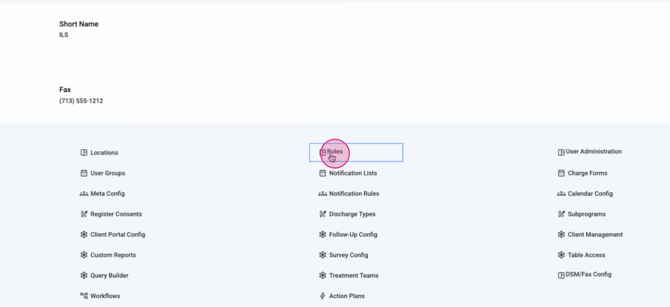
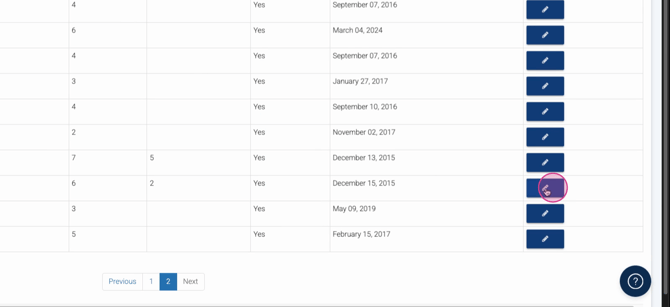
Step 3: Select Roles and choose the role that needs access.
Step 4: Expand Financial Permissions and check the Manual PR Charges Edit box.
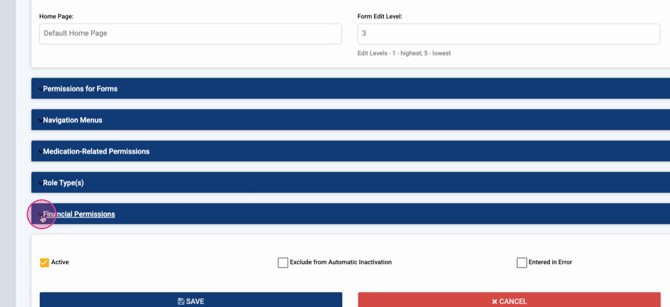
Once this permission is enabled, users in that role can configure and manage patient responsibility charge rules.
Customizing Patient Responsibility Charge Rules
Step 1: From the Home screen, navigate to Financial.
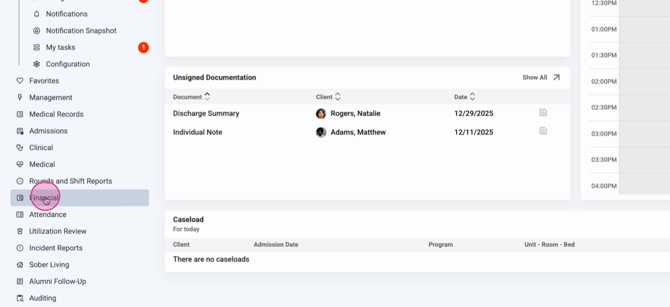
Step 2: Select Financial Dashboard.
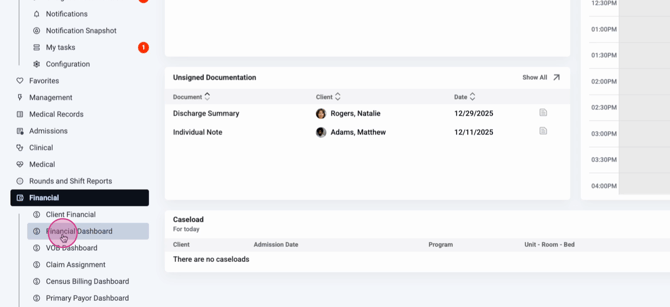
Step 3: Click Payments Dashboard.
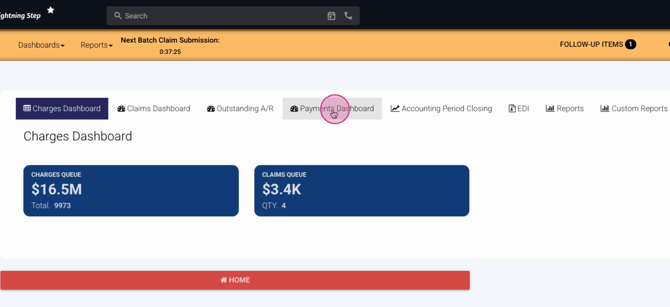
Step 4: Locate and click the Settings button in the upper right.
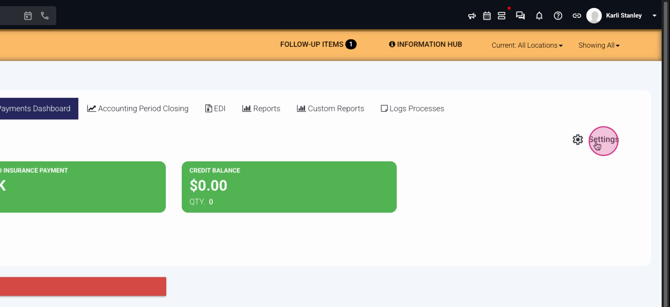
Step 5: On the Payment Settings screen, you’ll see a searchable list of adjustment codes with descriptions.
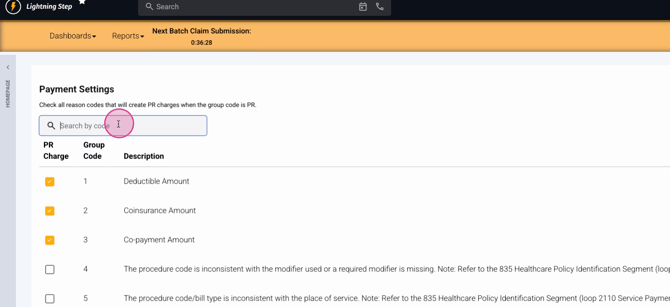
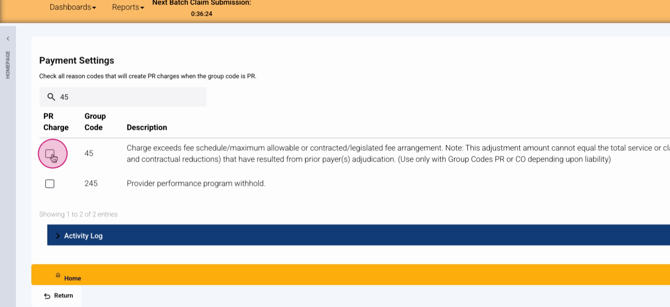
Step 6: Check boxes next to adjustment codes you want to trigger patient responsibility charges when they’re paired with a PR group code and allocated to a claim.
Lightning Step pre-selects codes 1, 2, 3, 27, and 100 by default. Code 100 cannot be deselected due to additional functionality for paid-to-subscriber charges.
Selecting a code saves the rule instantly; from now on, claims with those adjustment codes and a PR group code will create patient responsibility charges for the adjustment amount.
Conclusion
Custom patient responsibility charge rules let you match your organization’s billing needs, making sure you can invoice for all client balances not covered by insurance. For more details, check your internal documentation or contact the support team with questions.
