
Step 1: Go to Configuration and select Billing Configuration.
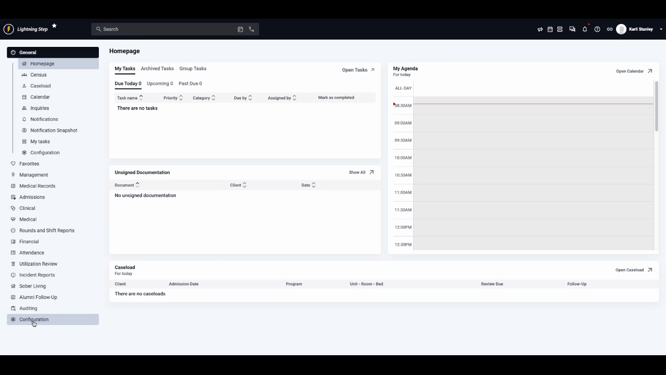
Step 2: Click Payer Management to view your list of payers and manage them.
Step 3: Select the plus (+) button next to Payer Management to start adding a new payer.
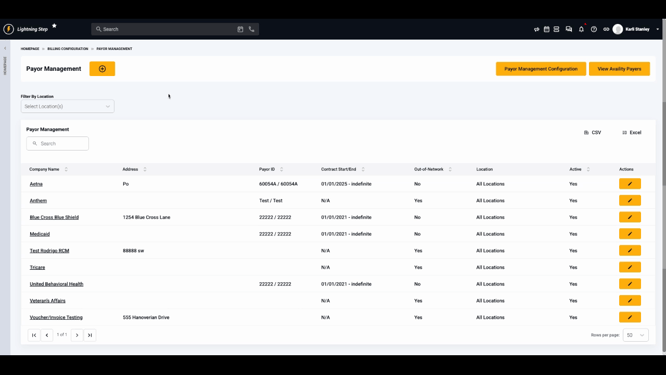
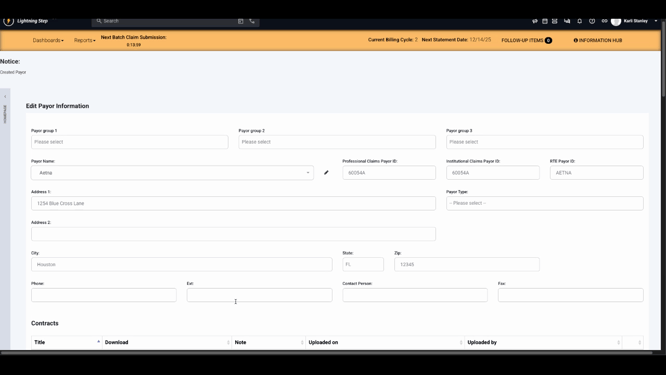
Step 4: Fill in the payer’s general information, including payer name and payer IDs. Depending on your clearinghouse connection, some options might appear slightly different.
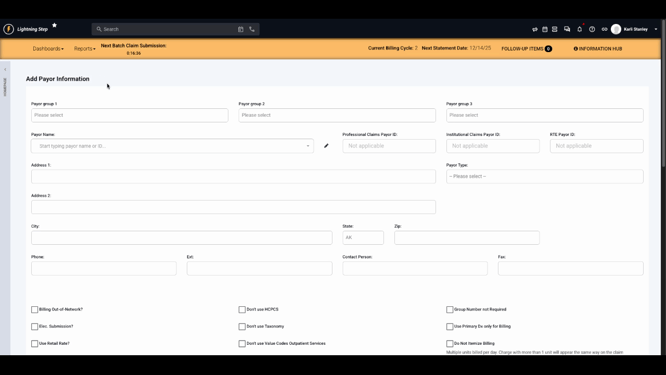
Step 5: Enter the address for the payer.
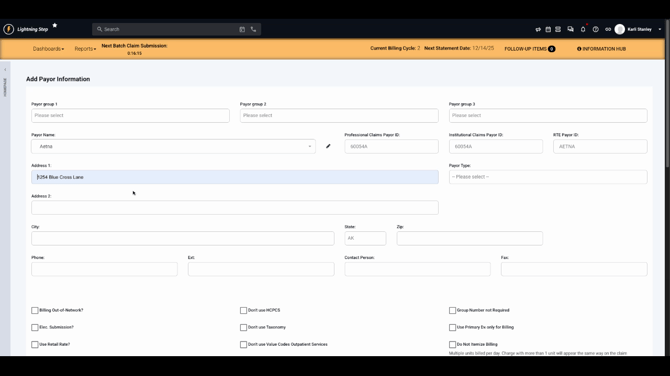
Step 6: Add up-to-date contact information. This helps with communication or paper claims if needed.
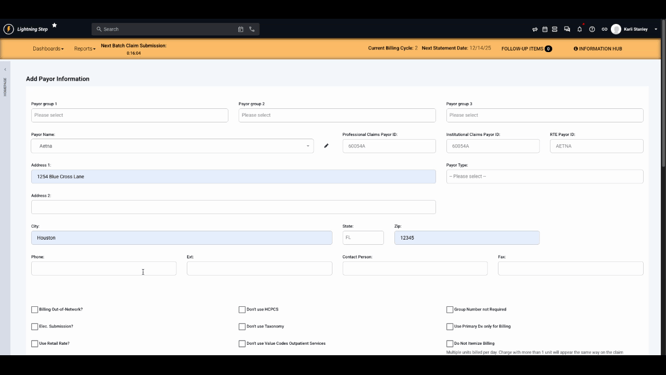
Step 7: Review and enable payer options as needed:
-
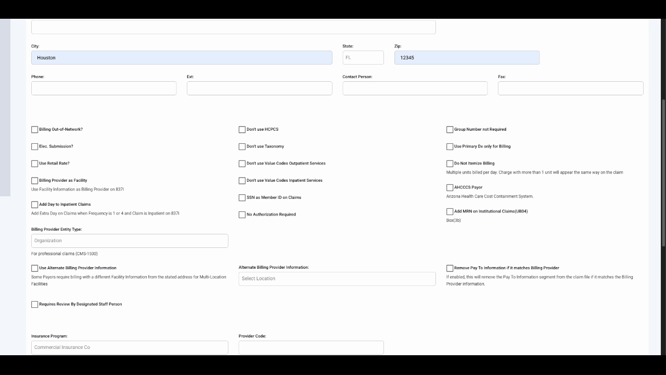
Electronic Submission: Enable to send claims electronically via your clearinghouse (recommended for most payers).
-
Use Retail Rate: Apply the default service rate instead of any payer-specific rates.
-
Do Not Itemize Billing: Combine units for the same day on a single service line, instead of one line per service (default is to itemize).
-
No Authorization Required: All claims for this payer will indicate no authorization is needed.
-
Alternate Billing Information: Set an alternate billing location to handle complex billing scenarios.
Step 8: Enter contract start and end dates and add any specific codes relevant to this payer.
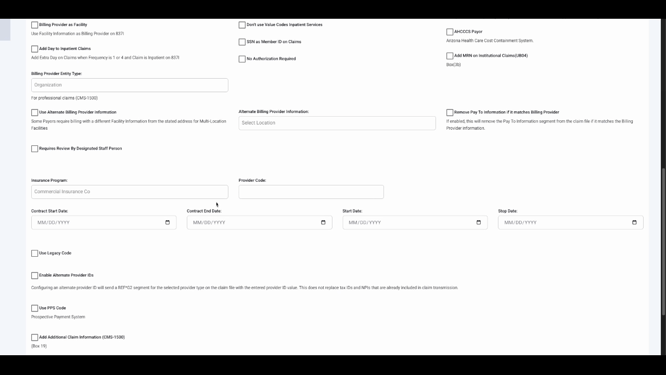
Step 9: Once everything is complete, click Save.
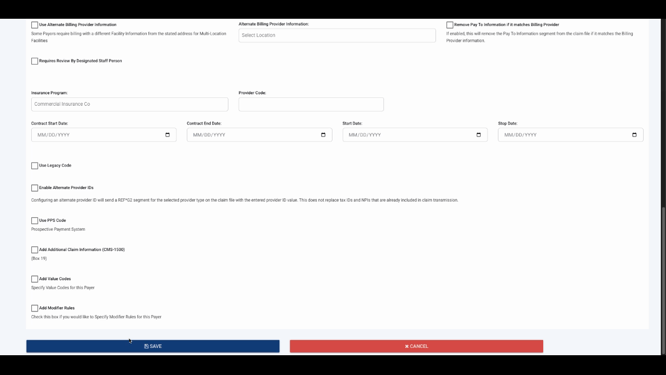
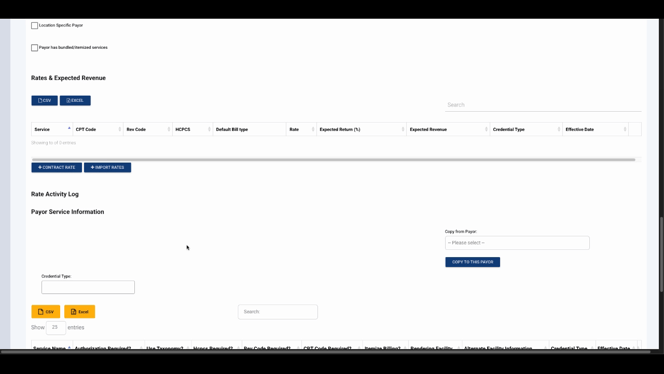
Step 10: After saving, the system lets you add rates, expected revenue, and payer service-level options.
These sections let you:
-
Enter contract rates for services.
-
Set detailed billing options for the payer and service combinations.
Conclusion
Creating a payer sets the foundation for accurate and efficient billing in Lightning. For more details on advanced payer settings, refer to internal documentation or contact support. Set up your payers thoughtfully to streamline claims and billing down the road.
