
Internal Setup:
-
Lsconfigs that must be enabled
- ai_transcriptions
- enable_ai_transcription_consents
Telehealth Appointments: Collecting Transcription Consent
Step 1: Open your Calendar and select a scheduled telehealth appointment That has transcription enabled.
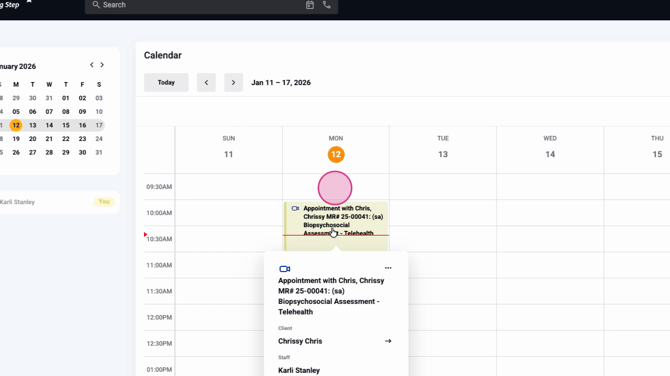
Step 2: Click Join and start the session as the clinician.
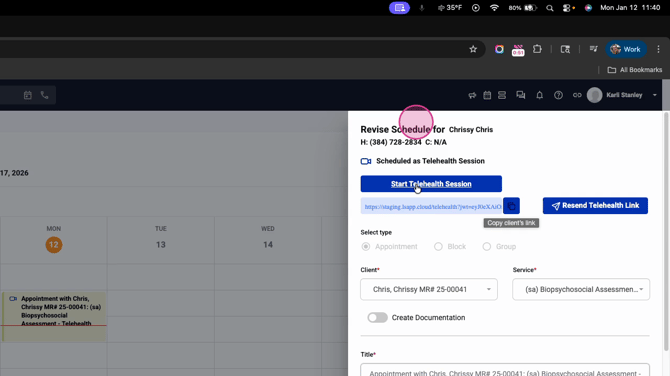
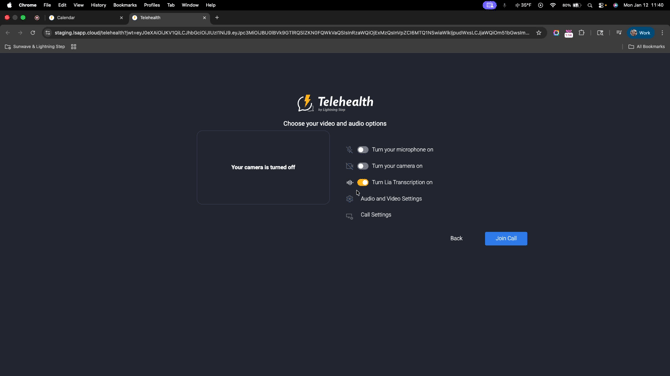
Step 3: When the session begins, notice that LIA transcription is enabled at the top. This setting is not visible to clients.
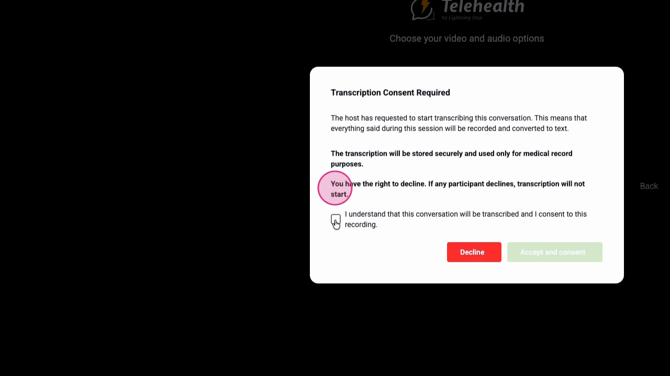
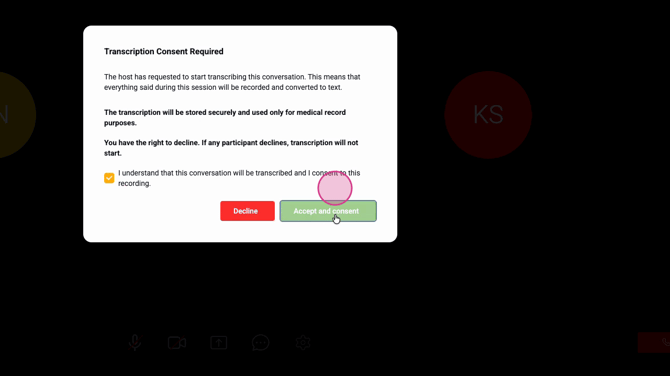
Step 4: Admit or join as the client to the telehealth call. On the client's side, a consent pop-up appears. This message explains that the session will be transcribed (if they agree), stored securely for medical records, and that participation is optional.
Step 5: The client reviews the consent, then either checks the box to accept or chooses to decline.
Step 6: If someone declines, you’ll see a message: transcription can’t start because at least one participant hasn't consented. The host also sees a "declined" tag by the participant—but clients and others don’t see this.
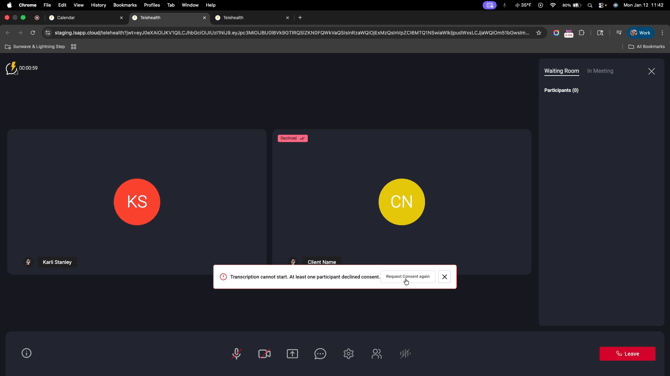
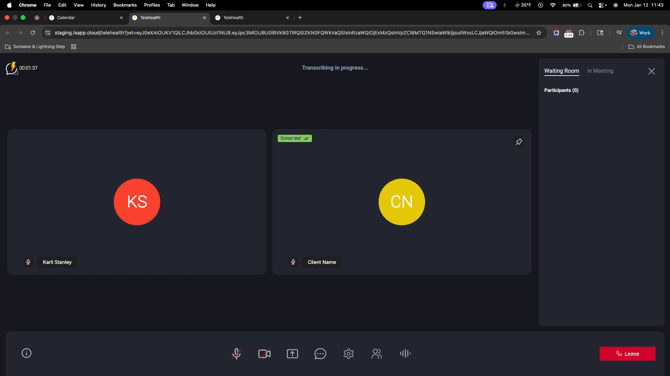
Step 7: You may request consent again or dismiss the message. Once all required parties agree, transcription starts and the tags update.
In-Person Appointments: Enabling and Managing Transcription
Step 1: On your Calendar, select an in-person appointment.
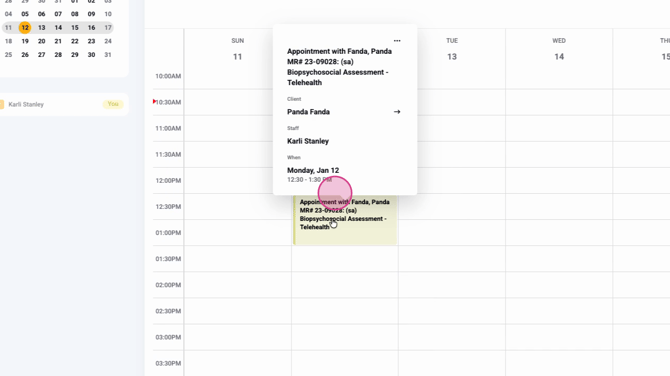
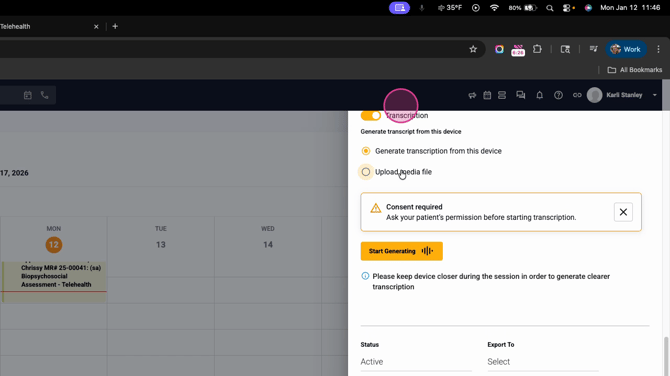
Step 2: When ready, confirm transcription is toggled on. Choose to record from the device you’re using or upload a media file after the session.
Step 3: The system reminds you to obtain your client’s verbal consent before recording or transcribing in-person sessions. Ask for approval before you start.
Step 4: If the client consents, you can either record directly or upload the file later. For best results, keep the recording device close during the conversation.
Wrap-Up
LIA’s transcription consent feature makes it easy to protect client privacy, comply with regulations, and keep your clinical notes organized—whether your sessions are virtual or in person. If questions come up, check your internal documentation or contact the support team for help.
