
INTERNAL CONFIGURATION
-
Must enable lsconfig - ai_transcriptions
Steps to Record and Manage Transcriptions
Step 1: Open your Calendar.
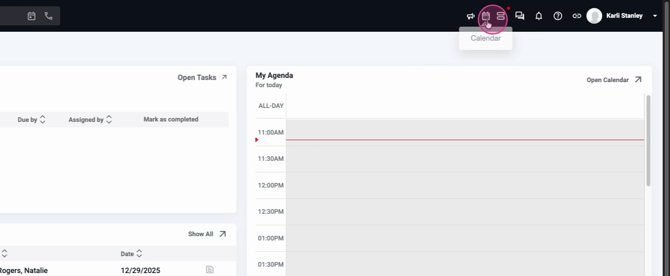
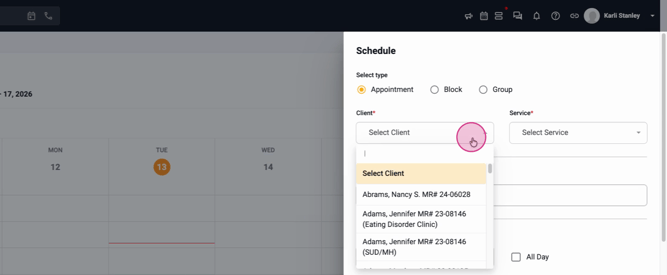
Step 2: Schedule an appointment for your client.

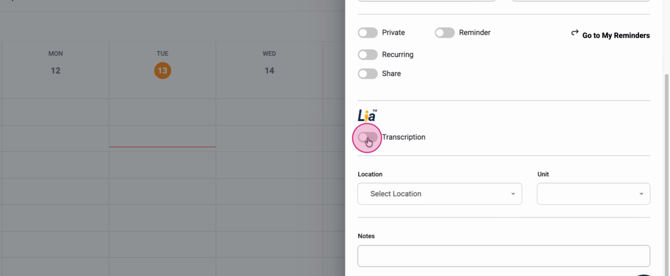
Step 3: Enable the Leah transcriptions option for your appointment.
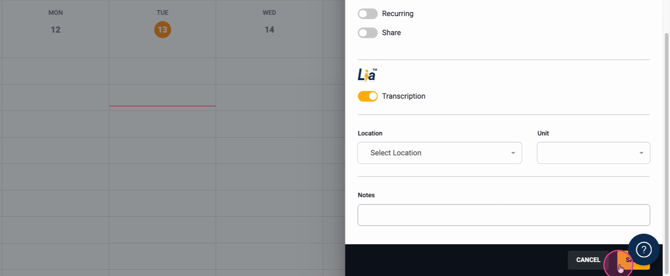
Step 4: Click Save to create the appointment.
Step 5: When you’re ready to start the session, go into the appointment. Choose between generating transcription from this device, or uploading a media file if you recorded the meeting elsewhere.
Step 6: To transcribe the meeting in real time, click Start Generating. Make sure your browser and computer settings allow microphone access.
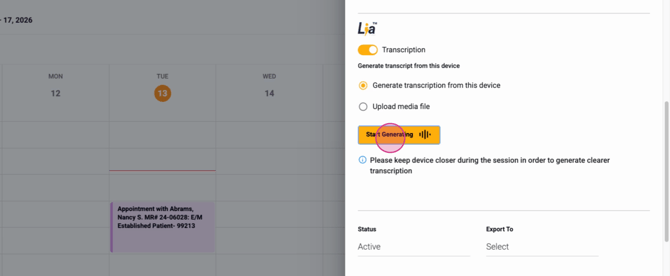
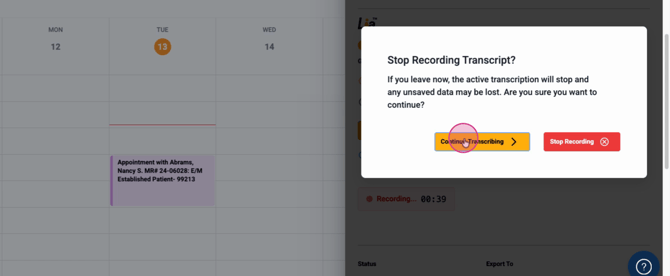
Step 7: When finished, click Stop. Confirm your choice. If you’re not done, you can select Continue transcribing instead.
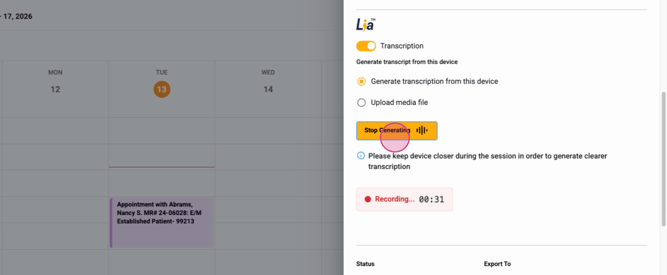
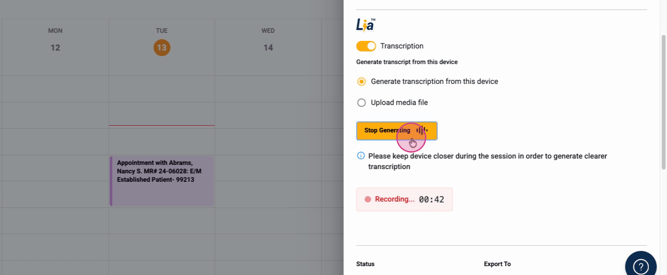
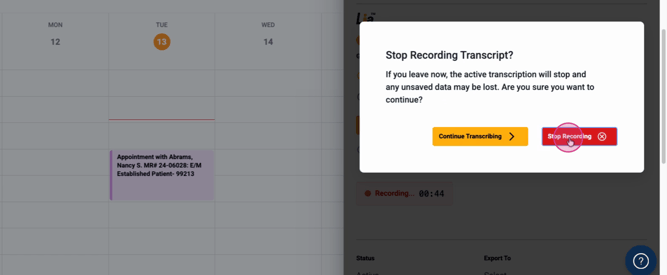
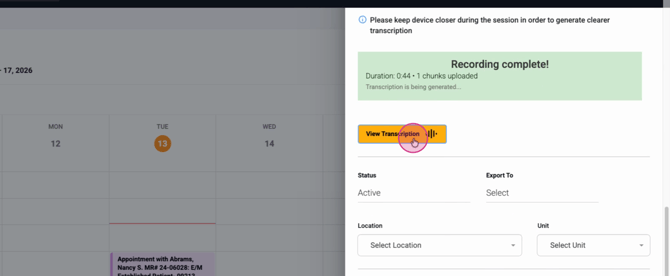
Step 8: After stopping, you’ll see a message showing the recording length and status as it’s being uploaded and transcribed. This takes a few minutes.
Step 9: Once complete, open the appointment and select View Transcription.
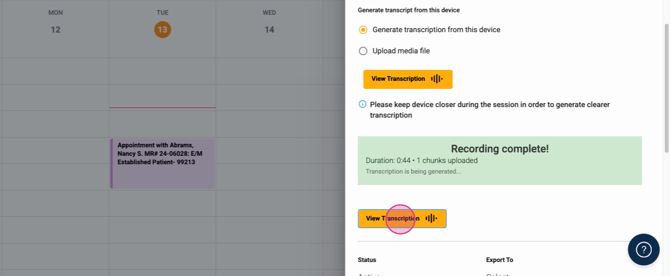
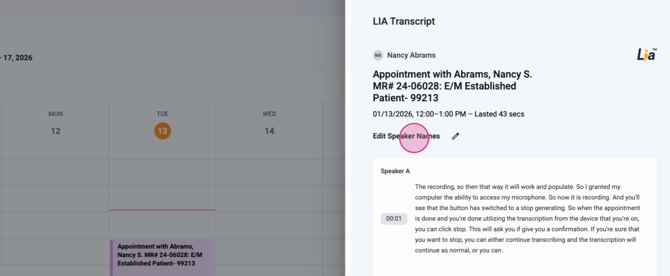
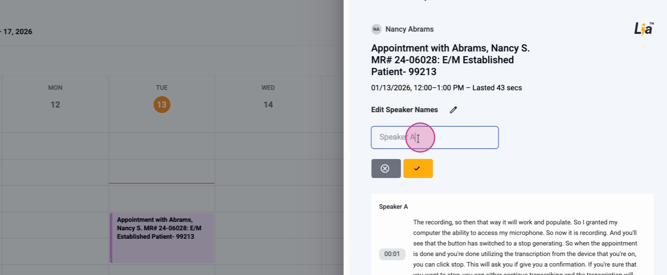
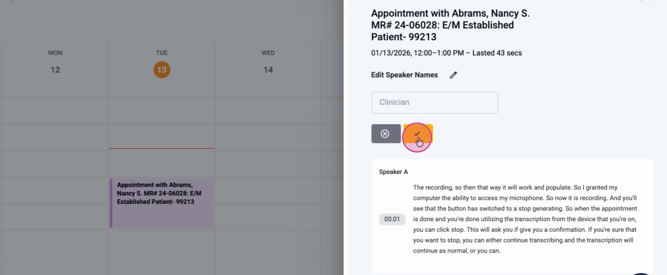
Step 10: Review the transcription, which lists speakers as Speaker A, Speaker B, etc. Click Edit speaker names to label each participant as needed. Update names – these changes save automatically.
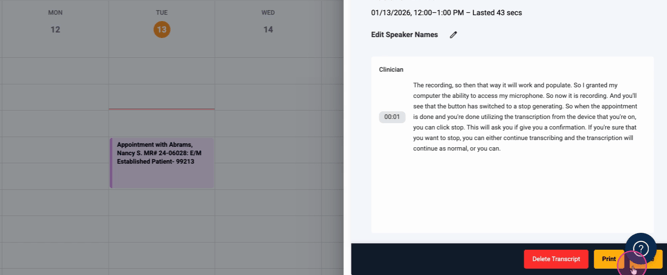
Step 11: Use options to delete, print, or finish working by selecting Done. Your edits remain saved and accessible from the appointment record.
Step 12: If needed, save your revision and close out the appointment.
Key Things to Know
-
Transcription works for both telehealth and in-person sessions.
-
The feature supports up to 10 participants per appointment.
-
You can always find and update the transcript from the appointment record.
-
Rename speakers for clarity, especially in group sessions.
LIA transcription helps you keep accurate, organized records of your appointments in Lightning Step. For more info or support, consult the documentation or reach out to the support team.
